Project EDTR

EDTR.md

A Markdown workspace.

Write notes and documentation, add images, preview your work and publish a page. In your browser, with your files saved locally.

Open EDTR.md
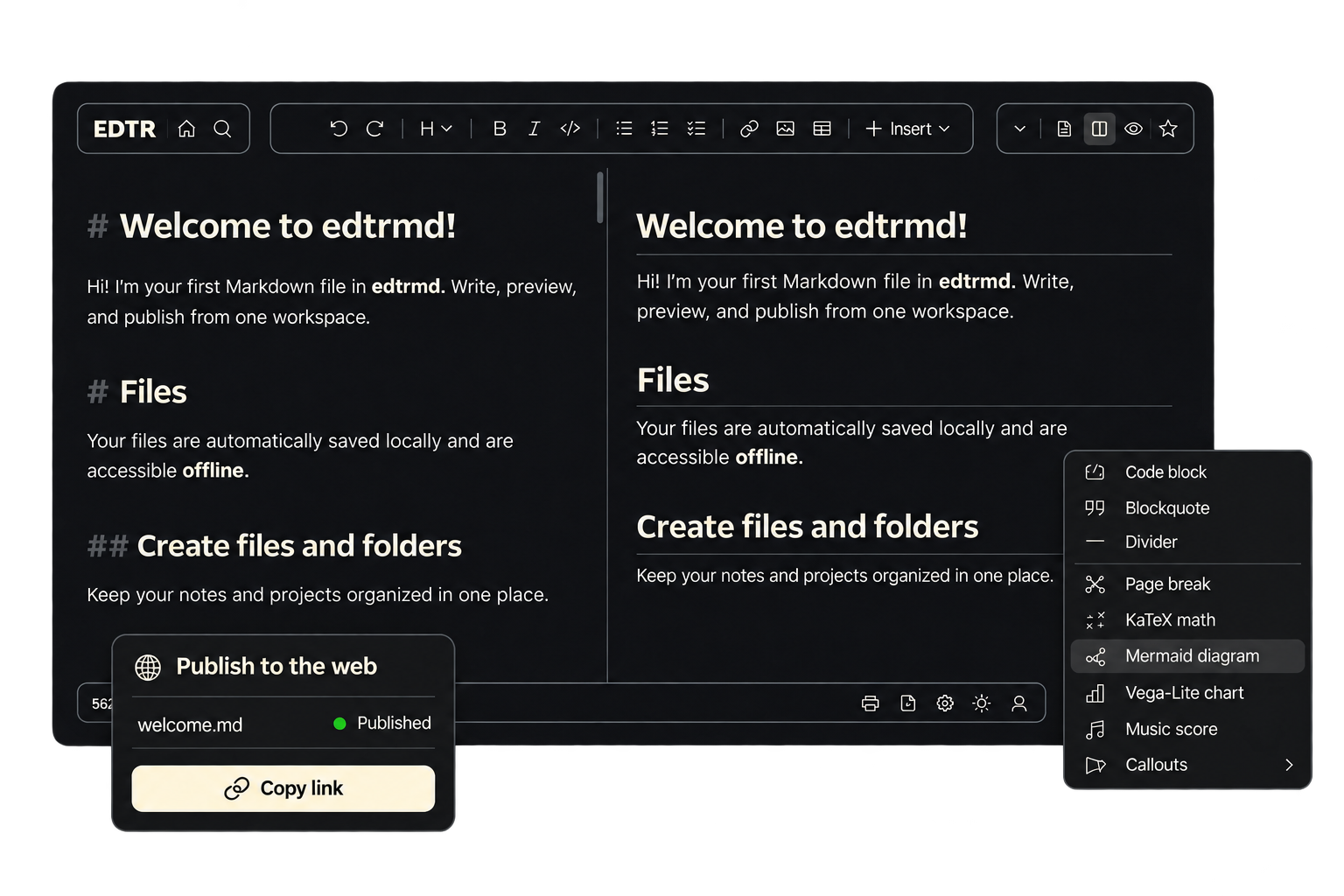
EDTR.md showing a Markdown document, live preview, insert menu and web publishing controls

Write and keep your files

Organize notes and documentation in a workspace. Add images and keep working offline.

Preview as you edit

See the rendered document alongside your writing, including tables, diagrams and math.

Publish and connect

Publish documents to the web or connect your AI tools through MCP.

Text files. Word documents.

Text and code, in a browser tab.

Take a quick note, edit a config or inspect a JSON file. A lightweight editor with tabs and the tools you reach for every day.

  • Tabs and syntax highlighting
  • Find and replace
  • JSON formatting and tree view
  • No account required
Open EDTR.plus

EDTRdocs

wordpad.info

Documents, without the setup.

Write and format a document, add tables and images, then export a DOCX or print it. Start editing without signing in.

  • Rich text and page layout
  • Tables and images
  • DOCX import and export
  • Print-ready documents
Open wordpad.info

Why we started EDTR.

Each editor began with something we needed ourselves.

EDTR.md

We couldn’t find a Markdown editor that worked the way we wanted: fast, with a straightforward way to add images and keep them with our writing. So we started building our own.

EDTRdocs

Sometimes we just needed Word. Getting through a login process before we could write was frustrating, and the online alternatives didn’t do enough. We wanted to open a page and get straight to the document.

EDTR.plus

We missed Notepad++ on the Mac. We also kept opening new browser tabs to jot things down, sometimes right in the address bar. A text editor that lived in a tab made sense.